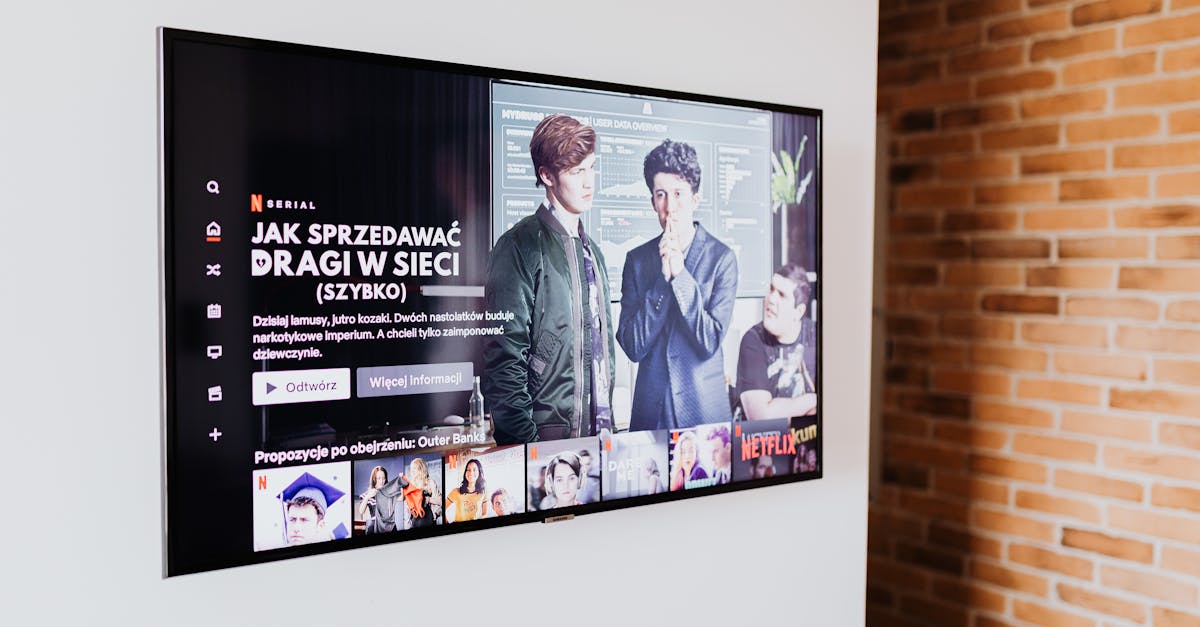
Smart TVs promise seamless entertainment, but often deliver frustration. Uncover 7 reasons your smart TV disappoints and what actually works.
Smart TVs are supposed to be the command center of our living rooms, offering endless entertainment with just a few clicks. Yet, for many of us, the reality falls far short of the promise. Instead of seamless streaming and intuitive navigation, we often find ourselves wrestling with sluggish interfaces, mysterious glitches, and a general sense that our ‘smart’ TV is actually making things harder, not easier. In my experience, the frustration isn’t usually due to a lack of features, but rather a series of overlooked design flaws and common user mistakes that turn a potentially fantastic device into a daily headache.
I’ve spent countless hours troubleshooting these issues for myself and friends, delving into forum discussions, and even chatting with frustrated electronics salespeople. What I’ve discovered is that the problem isn’t always your internet connection or the TV’s age. Often, it’s a combination of poor software optimization, aggressive advertising, and a fundamental misunderstanding of how these devices are actually designed to be used. The mistake I see most often is accepting the default experience, believing that the frustration is just part of modern tech. What changed everything for me was adopting a more intentional approach, recognizing where the system was failing, and implementing specific fixes that bypassed the built-in annoyances.
Key Takeaways
- Overloaded home screens filled with ads and suggested content are often the primary cause of sluggish performance.
- Automatic software updates, while important, can unexpectedly introduce bugs and slow down your TV’s operating system.
- Privacy settings are often lax by default, leading to unwanted data collection and targeted advertising that disrupts your experience.
- The built-in app store might not be optimized, causing slow downloads, crashes, or missing crucial streaming services.
- Energy-saving modes, while well-intentioned, frequently degrade picture quality and overall responsiveness.
- Limited internal storage can quickly bog down your TV with cached data and app installations, leading to performance issues.
- Outdated or generic remote controls often make navigation cumbersome, undermining the ‘smart’ experience entirely.
Ad-Bloated Home Screens Are Slowing Everything Down
The moment you power on your smart TV, you’re often greeted with a carousel of recommended shows, movies, and advertisements. While designed to enhance discovery, in reality, these visually rich, constantly updating interfaces are one of the biggest culprits behind sluggish performance. Each thumbnail, each video preview, each personalized recommendation requires data to be fetched, rendered, and updated in real-time. This heavy load taxes your TV’s processor and memory, especially on mid-range and budget models that aren’t equipped with robust hardware. It’s like trying to run twenty demanding applications on an old smartphone simultaneously.
In my own home, the issue became glaringly apparent on a popular brand’s smart TV. The initial setup was quick, but within weeks, navigating the home screen felt like wading through mud. Opening an app took significantly longer, and scrolling through options was a choppy, frustrating experience. The solution? I bypassed the manufacturer’s smart platform entirely. Instead of relying on the built-in interface, I invested in a dedicated streaming stick. These devices, like a Roku Ultra or Apple TV, have their own optimized operating systems and processors, designed solely for streaming and app management. They typically offer cleaner interfaces, faster response times, and, crucially, far fewer ads and background processes. It felt counterintuitive to buy another device for a ‘smart’ TV, but the difference in responsiveness and overall enjoyment was immediate and profound. My advice is to consider your smart TV primarily as a display, and offload the ‘smart’ functions to a device designed specifically for that purpose.
Unmanaged Automatic Updates Introduce Unexpected Problems
Software updates are essential for security and new features, but on smart TVs, they often happen in the background without much user control or transparency. These updates, while well-intentioned, can unexpectedly introduce bugs, change interface layouts, or simply add more bloat, slowing down an already struggling operating system. I’ve witnessed numerous instances where a TV that was working perfectly one evening suddenly became a laggy mess the next day, all thanks to an unannounced automatic update.
The real issue isn’t the updates themselves, but the lack of granular control. Many smart TVs offer an ‘automatic update’ toggle, but even when disabled, some critical updates still push through. The most effective strategy I’ve found is to manage the updates proactively. First, check if your TV allows you to disable automatic updates. If it does, turn them off. Then, make it a habit to check for updates manually every month or two. Before installing, quickly search online forums for your specific TV model and the latest firmware version. Look for reports of new bugs, performance issues, or significant changes. If there are widespread complaints, it’s often safer to hold off on the update for a few weeks until a more stable version is released. This approach gives you the power to vet updates before they potentially sabotage your viewing experience, ensuring that your TV remains a source of relaxation, not exasperation.
Default Privacy Settings Are Too Permissive
Most smart TVs, out of the box, are set to collect a surprising amount of user data. This includes viewing habits, app usage, and even interactions with voice assistants. This data is then used for targeted advertising, content recommendations, and sometimes, even sold to third parties. Beyond the privacy implications, this constant data collection runs in the background, consuming valuable processing power and network bandwidth. It’s another unseen drain contributing to your TV’s overall sluggishness and erratic behavior.
The first time I audited my smart TV’s privacy settings, I was genuinely shocked by how much information it was set to share. I spent a good half-hour digging through nested menus, disabling everything from ‘Interest-Based Ads’ to ‘Voice Recognition Data Sharing.’ The process was tedious, often requiring me to agree to pop-up warnings about a degraded ‘personalized experience,’ but it was worth it. Not only did it reduce the amount of intrusive advertising, but the TV also felt noticeably snappier. My recommendation is to dedicate 20-30 minutes to a full privacy audit. Look for sections like ‘Privacy,’ ‘Data Collection,’ ‘Advertising,’ and ‘Smart Features’ in your TV’s settings. Disable anything that sounds like it’s collecting data for personalization or advertising. While you might lose some ‘smart’ recommendations, you’ll gain back performance and peace of mind, making your TV feel less like an advertising billboard and more like your personal entertainment hub.
Built-In App Stores Lack Optimization and Choice
While the concept of having all your streaming apps directly on your TV sounds convenient, the reality of built-in app stores often falls short. Many TV manufacturers use proprietary app ecosystems that are poorly optimized, slow to load, and sometimes lack key streaming services. Even when popular apps are available, they might be outdated versions or suffer from frequent crashes and buffering issues due to poor integration with the TV’s specific hardware and software.
I’ve seen this play out repeatedly. A friend recently bought a new smart TV, excited about the integrated Netflix and Hulu. Within a month, the Netflix app started crashing regularly, and Hulu often froze mid-stream. After troubleshooting everything from internet speeds to TV resets, the culprit was simply the poorly optimized built-in app. Her frustration evaporated the moment she plugged in a simple, affordable streaming stick. These dedicated devices are built with powerful chipsets and are constantly updated by companies whose sole focus is streaming performance. They boast comprehensive app libraries, faster updates, and smoother playback across all services. If your TV’s native apps are giving you grief, stop fighting them. Offloading your streaming to a dedicated external device will almost always deliver a superior, more reliable, and less frustrating experience, turning your smart TV into what it should be: a beautiful display for high-quality content.
Aggressive Energy-Saving Modes Degrade Picture Quality
Many smart TVs come with energy-saving modes enabled by default, or they aggressively push you to activate them during the initial setup. While admirable in their intent to reduce power consumption, these modes frequently compromise the very reason you bought a good TV in the first place: stunning picture quality. They often dim the backlight, reduce contrast, and sometimes even alter color accuracy, making everything look dull, washed out, or unnatural. It’s like buying a high-performance car and then driving it exclusively in ‘eco’ mode – you’re simply not getting the full experience you paid for.
In my early days with smart TVs, I accepted these settings, thinking I was being responsible. But a side-by-side comparison with a friend’s TV that had energy-saving disabled was a revelation. My picture looked lifeless by comparison. The most effective step I’ve taken is to disable all energy-saving features immediately after purchasing a new TV. Go into the picture settings menu and look for options like ‘Energy Saving,’ ‘Eco Mode,’ ‘Power Saving,’ or ‘Automatic Brightness Control.’ Turn them all off. Then, take the time to calibrate your picture settings using a reputable online guide or a calibration disc. Adjust brightness, contrast, color, and sharpness to suit your viewing environment. Yes, your electricity bill might go up by a few dollars a year, but the dramatic improvement in picture quality and the overall immersive experience is, in my opinion, well worth the minimal extra cost. Your smart TV should deliver a fantastic visual experience, not just a frugal one.
Limited Internal Storage Causes Performance Bottlenecks
Just like your smartphone or computer, smart TVs rely on internal storage for their operating system, apps, cached data, and temporary files. The problem is, many manufacturers skimp on this crucial component, offering only a few gigabytes of usable storage, especially in entry-level and mid-range models. As you download more apps, stream content, and accumulate cached data (which many apps don’t efficiently clear), this limited storage fills up fast. A full storage drive leads directly to performance bottlenecks: slow app launches, choppy navigation, longer buffering times, and even system crashes. It’s a common, yet often overlooked, reason why your ‘smart’ TV feels so frustratingly dumb.
I encountered this firsthand with a TV that started exhibiting all the classic symptoms of being bogged down – everything felt sluggish. After checking the storage in the settings, I found it was nearly full. What changed everything for me was being proactive about storage management. First, I uninstalled any apps I rarely used. Many smart TVs come pre-loaded with bloatware that you’ll never touch. Second, I regularly cleared the cache for frequently used streaming apps. While some apps have this option in their internal settings, others require you to go through the TV’s main app management menu. Third, and most importantly, if your TV supports it, consider adding external storage via a USB drive. Some TVs allow you to install apps or store media on a connected USB device, significantly expanding your usable space. By actively managing storage, you free up the necessary overhead for the operating system to run smoothly, transforming a sluggish experience into a much more responsive one.
Generic Remote Controls Ruin the User Experience
The humble remote control is your primary interface with your smart TV, yet it’s often the most overlooked and poorly designed component. Many manufacturers bundle generic, clunky remotes with an overwhelming number of tiny buttons, unintuitive layouts, and no backlighting. Some even rely heavily on cumbersome on-screen cursors or voice controls that are more frustrating than functional. This makes simple tasks like typing a search query, navigating menus, or fast-forwarding through an ad feel like an Olympic challenge. A fantastic smart TV experience demands an equally fantastic remote, and most simply don’t deliver.
My personal breaking point came when trying to type in a movie title using a remote with a numeric keypad, having to cycle through letters like it was a flip phone from 2005. What changed everything was upgrading the remote itself. First, check if your TV manufacturer offers an official upgrade – many now have ‘smart remotes’ with fewer buttons, a built-in microphone for voice search, and sometimes even a motion-sensing pointer. If not, consider a universal smart remote designed for streaming. These often feature full QWERTY keyboards, dedicated app buttons, and excellent ergonomics. My preferred solution is often to use the TV’s companion app on my smartphone. These apps usually provide a full keyboard, easy navigation, and often a better voice search experience than the physical remote. Don’t underestimate the power of a good remote to transform your smart TV experience from frustrating to fantastic. It’s the literal bridge between you and your entertainment, and it deserves to be a smooth, effortless one.
Frequently Asked Questions
Why is my smart TV so slow even though my internet is fast?
Your smart TV’s sluggishness is often due to its internal processor and limited RAM struggling with ad-heavy home screens, background data collection, unoptimized apps, and full internal storage, rather than your internet speed. Many budget and mid-range smart TVs simply don’t have the processing power to handle their ‘smart’ features efficiently.
Should I buy an external streaming device if I have a smart TV?
Yes, I highly recommend it. An external streaming device (like a Roku, Apple TV, or Fire Stick) typically has a dedicated, more powerful processor and optimized software designed solely for streaming. This bypasses the often-sluggish, ad-filled interfaces of built-in smart TV platforms, providing a significantly faster, more reliable, and enjoyable user experience.
How can I stop my smart TV from showing so many ads?
To reduce ads, you’ll need to dig into your TV’s privacy settings. Look for options related to ‘Interest-Based Ads,’ ‘Advertising,’ or ‘Personalization’ and disable them. Be aware that some ads, especially those on the main home screen, are often baked into the manufacturer’s software and cannot be fully removed without using an external streaming device.
Is it bad to disable energy-saving mode on my smart TV?
Disabling energy-saving mode is generally not bad; in fact, I recommend it. While it might slightly increase your electricity consumption, it allows your TV to display content at its optimal brightness and color settings, providing a much better picture quality. The energy savings are usually minimal compared to the enhanced viewing experience.
How often should I clear the cache on my smart TV apps?
There’s no strict rule, but if you notice apps crashing, buffering, or running slowly, clearing their cache is a good first troubleshooting step. Make it a habit to do this monthly for your most-used streaming apps, or whenever you experience performance issues. This frees up internal storage and can significantly improve app responsiveness.
Navigating the world of smart TVs can feel like a constant battle against underperforming software and intrusive features. However, by understanding these common pain points and implementing targeted solutions—such as offloading smart functions to a dedicated streaming device, proactively managing updates, tightening privacy settings, and optimizing your viewing environment—you can transform your frustrating experience into one that is genuinely fantastic. Reclaim your entertainment space; your TV should work for you, not against you.
Clara Vance
Productivity & Organization
A former project manager with a passion for efficient living, Clara brings a structured approach to everyday challenges.


