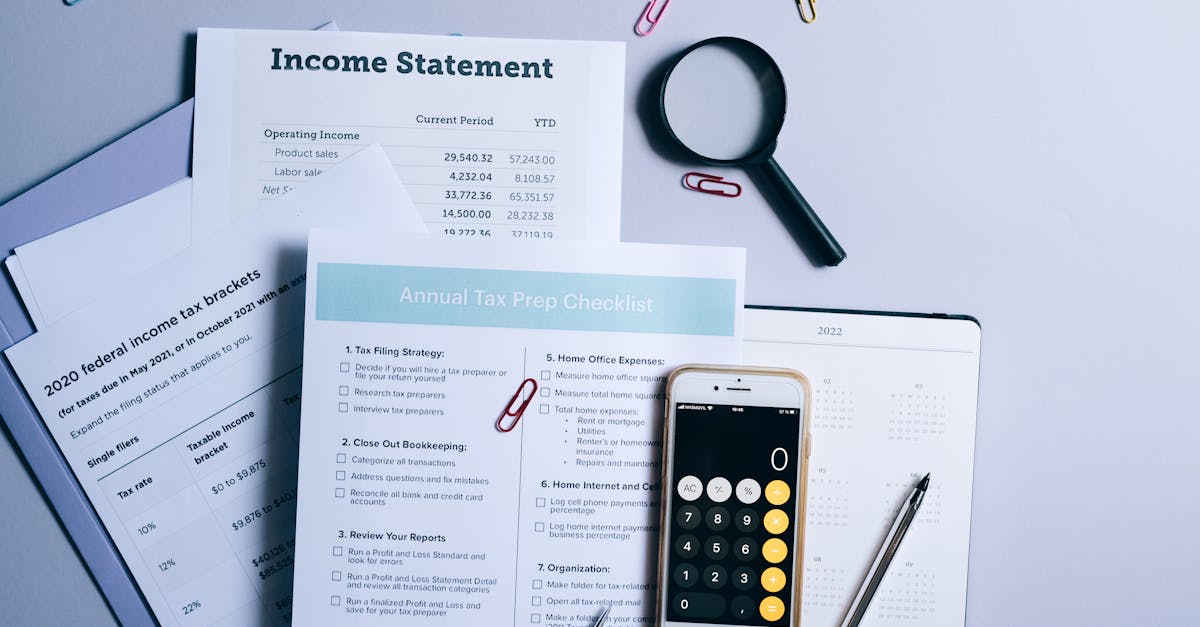
Unsure if budgeting apps or spreadsheets offer better financial clarity? This guide compares their strengths and weaknesses for real-world money management.
For years, the promise of instant financial clarity has been dangled by sleek budgeting apps, while a quiet, dedicated few still swear by the humble spreadsheet. I’ve spent over a decade navigating both, initially drawn to the apps for their automation, only to find myself wrestling with categories and a disconnect from my actual spending. What I discovered is that the ‘better’ tool isn’t universal; it hinges on your personal finance psychology and commitment to understanding, not just tracking.
Like many, I started with apps, lured by their seamless integration with bank accounts and pretty graphs. It felt like I was doing something right, yet I often felt a nagging lack of true control. My accounts were ‘connected,’ but my understanding wasn’t. The real shift came when I moved a significant portion of my financial tracking to a custom spreadsheet. Suddenly, I wasn’t just observing my money; I was actively engaging with it, categorizing each transaction with purpose, and seeing patterns emerge that the apps had obscured.
This isn’t about shaming one method or glorifying another. It’s about recognizing that financial clarity is a deeply personal journey, and the tool you choose should amplify your ability to make informed decisions, not just present data. I’ve seen firsthand how an overreliance on automation can create a false sense of security, and how the tactile nature of manual entry, even in a digital spreadsheet, can embed financial lessons more deeply.
Key Takeaways
- Digital budgeting apps offer automation and visual summaries, but can foster a passive approach to spending analysis.
- Custom spreadsheets demand active engagement, leading to a deeper understanding of financial flows and better decision-making.
- The choice between apps and spreadsheets depends on your personal finance psychology: passive overview versus active control.
- True financial clarity comes from understanding the why behind your spending, not just the what.
- Combining a primary spreadsheet for detailed analysis with an app for quick checks can offer the best of both worlds.
The Illusion of Automation with Budgeting Apps
When I first delved into budgeting apps, their primary selling point was automation: link your accounts, and voilà, all your transactions magically appear, categorized and ready for review. It sounds like a dream, especially for busy individuals. In my experience, however, this seamless integration often creates an illusion of control rather than true clarity. The transactions are there, yes, but the deeper understanding often isn’t.
The mistake I see most often is people treating these apps as a set-it-and-forget-it solution. They connect their accounts, skim the automatically generated reports, and assume they’re financially savvy. What actually happens is a disconnect. The app categorizes a restaurant meal as ‘Dining Out,’ but it doesn’t prompt you to consider why you ate out, who you were with, or how that spending aligns with your larger financial goals. This passive observation prevents the critical self-reflection necessary for meaningful financial change.
For example, I once spent a month solely relying on a popular budgeting app. At the end, I could tell you I spent $400 on ‘Groceries.’ But I couldn’t tell you if that was efficient, if I bought too many snacks, or if a significant portion went to overpriced convenience items. The app simply aggregated the data. When I switched to manual entry in a spreadsheet, even for groceries, the act of typing in ‘Trader Joe’s - $85 - ingredients for weekly meal prep’ versus ‘7-Eleven - $12 - impulse snacks’ forced a micro-assessment of each purchase. This small friction, paradoxically, led to far greater awareness and ultimately, reduced my grocery bill by about 15% because I was more intentional at the store.
Another common pitfall is the over-categorization trap. Many apps offer a dizzying array of categories and sub-categories. While seemingly comprehensive, this can quickly become overwhelming. Users either spend too much time trying to fit transactions into the ‘perfect’ category, leading to burnout, or they default to broad, unhelpful categories like ‘Miscellaneous,’ which completely defeats the purpose of tracking. The goal isn’t perfect categorization; it’s actionable insight. If your categories don’t tell you something meaningful about your spending habits, they’re just noise.
The Power of Deliberate Engagement with Spreadsheets
Transitioning from budgeting apps to a custom spreadsheet felt like taking the training wheels off. It was more effort, initially, but the payoff in clarity was immense. The power of a spreadsheet lies in its demand for deliberate engagement. Every transaction, every category, every formula requires your active input. This friction, rather than being a barrier, is precisely what embeds financial awareness deep into your psyche.
What changed everything for me was the realization that manual entry forces you to confront each spending decision. It’s a mini-review session every time you log a purchase. Did I really need that? Was this planned? How does this impact my goals? This simple act, repeated daily or weekly, shifts you from being a passive observer of your finances to an active participant in your financial destiny. This isn’t just about data entry; it’s about building a mental model of your money flow.
Consider a credit card statement. An app imports it, assigns categories, and might even flag ‘high spending.’ A spreadsheet demands you input each line item. When you type ‘Coffee - $6.50,’ you instantly recall that overpriced latte. If you do this for twenty coffee purchases in a month, the cumulative impact, manually entered, hits differently than a neat bar on a graph. I’ve often caught myself thinking, ‘Do I really want to type that in?’ before making an impulse purchase. That’s the power of deliberate friction.
Beyond simple transaction logging, spreadsheets offer unparalleled customization. You’re not limited by an app’s predefined categories or reporting structures. Want to track spending by the phase of the moon? You can build it. More practically, you can create categories specific to your unique goals, like ‘Wedding Fund Contributions,’ ‘Home Renovation: Bathroom,’ or ‘Future Travel: Japan.’ This level of personalization means your budgeting tool evolves with your life, rather than forcing your life into its predefined boxes. In my own sheet, I’ve built specific columns to track how much of my income goes to ‘Joyful Spending’ versus ‘Necessary Expenses’ each month, a metric that no app I’ve used offers by default, but which is profoundly important to my financial well-being.
Tailoring Your Financial Categories for Real Insights
One of the most critical aspects of achieving true financial clarity, whether with an app or a spreadsheet, is defining categories that actually serve you. Generic categories provided by most apps often fall short, failing to provide the specific insights needed to make meaningful changes. In my experience, what truly matters isn’t the number of categories, but their utility in reflecting your priorities and identifying areas for improvement.
The mistake I see most often is adopting a standard set of categories like ‘Dining Out,’ ‘Entertainment,’ ‘Utilities,’ without much thought. While these are a starting point, they rarely tell the full story. For instance, ‘Dining Out’ might combine an essential business lunch with an extravagant weekend dinner. Treating them the same in your budget obscures the nuance of your spending habits.
What changed everything for me was creating nested categories that align with my values and goals. Instead of just ‘Dining Out,’ I use ‘Dining Out: Essential (Work/Social obligations)’ and ‘Dining Out: Discretionary (Pure Pleasure).’ This simple split immediately highlighted how much of my ‘Dining Out’ budget was truly flexible. Similarly, instead of a broad ‘Groceries,’ I break it down into ‘Groceries: Staples,’ ‘Groceries: Specialty Items,’ and ‘Groceries: Waste/Impulse.’ This helps me understand not just how much I spend on food, but where I can be more efficient or more intentional.
Another example: for a major savings goal, like a down payment on a home, a simple ‘Savings’ category isn’t enough. I prefer ‘Savings: Emergency Fund,’ ‘Savings: Home Down Payment,’ and ‘Savings: Investment.’ This clear delineation ensures that money earmarked for a specific purpose isn’t inadvertently used for another, and it provides a much clearer picture of progress towards distinct goals. The visual representation in a spreadsheet, with dedicated rows or sections for each fund, reinforces this clarity.
The goal of categorization is to enable actionable decision-making. If, at the end of the month, your categories don’t prompt questions like ‘Could I have spent less here?’ or ‘Is this spending truly bringing me value?’, then they’re not effective. A good categorization system should be a mirror reflecting your financial behaviors and a compass guiding you towards your financial aspirations. It should highlight areas where your spending is out of sync with your priorities and empower you to adjust course.
Beyond Tracking: Analyzing Trends and Forecasting Your Future
Merely tracking your spending is the first step; true financial clarity comes from analyzing trends and using that data to forecast your future. This is where the flexibility and power of a spreadsheet truly shine, allowing for a level of personalized analysis that even the most advanced budgeting apps struggle to replicate without significant developer effort.
Most apps provide historical data and basic trend lines, showing if your spending in ‘Entertainment’ is up or down compared to last month. While helpful, this is often surface-level. What it misses is the ability to easily integrate your specific life events into the forecast. For example, an app won’t inherently know you’re planning a major wedding next year, or that your car insurance premium will jump by $200 in six months due to a new vehicle. A spreadsheet, however, becomes a dynamic canvas for these unique financial scenarios.
What changed everything for me was building dynamic forecasting models directly into my monthly budget spreadsheet. I created separate tabs for upcoming major expenses (e.g., ‘Vacation 2026,’ ‘New Appliance Fund’), projecting when and how much I’d need to save. This allowed me to see the ripple effect of these future expenditures on my current cash flow and adjust my spending accordingly. For instance, knowing I needed $5,000 for a trip in eight months meant I immediately saw I needed to allocate $625/month. If my current spending didn’t allow for that, the spreadsheet instantly showed the shortfall, prompting immediate action.
Furthermore, spreadsheets allow for ‘what-if’ scenarios with ease. What if I get a raise? What if I take on a freelance project? What if my rent increases by 10%? You can duplicate your budget tab, tweak a few numbers, and instantly visualize the impact on your savings rate, debt repayment, or disposable income. This proactive approach to money management removes much of the anxiety surrounding financial changes, allowing you to adapt before problems arise.
I’ve found that this forecasting capability helps shift my mindset from reactive to proactive. Instead of feeling surprised by upcoming bills or falling short on savings goals, I feel prepared. It transforms budgeting from a backward-looking chore into a forward-looking strategic exercise. The customizability of a spreadsheet means your financial model is truly yours, reflecting your unique circumstances and aspirations, rather than a generic template imposed by an app.
The Hybrid Approach: Best of Both Worlds
While I strongly advocate for the deeper engagement offered by custom spreadsheets, the reality is that budgeting apps do have their place. In my experience, the optimal strategy for many people, myself included, is a hybrid approach that leverages the strengths of both tools while mitigating their weaknesses. This isn’t about choosing one over the other; it’s about intelligent integration.
The mistake I see most often is people trying to force one tool to do everything, leading to frustration and abandonment. What changed everything for me was understanding that an app can be a fantastic first-line data capture and quick glance tool, while a spreadsheet serves as the deep analysis and strategic planning hub.
Here’s how I’ve implemented this effectively: I use a budgeting app primarily for real-time transaction notifications and quick spending categorization. Many apps offer push notifications when a transaction clears, which can be an excellent way to maintain awareness of your spending in the moment. I’ll quickly categorize things, not with the meticulous detail I use in my spreadsheet, but enough to know broadly where the money is going. This keeps me from losing track of smaller, frequent purchases that can add up quickly.
Then, on a weekly or bi-weekly basis, I perform a more rigorous data import and reconciliation into my custom spreadsheet. Some apps allow you to export transaction data, making this process relatively straightforward. In my spreadsheet, this is where the detailed categorization happens, where I allocate funds to my specific sub-categories, reconcile against my mental budget, and adjust future spending plans. This intentional act of review is where the true financial lessons are learned and where I build my comprehensive understanding.
For example, an app might tell me my ‘Coffee’ spending is $150 this month. In my spreadsheet, I’ll break that down: ‘$60 for planned work coffees,’ ‘$40 for social catch-ups,’ and ‘$50 for impulse buys.’ The app provides the number; the spreadsheet provides the why and the opportunity for adjustment. This two-tiered system gives me the convenience of automation for routine tracking and the profound clarity that only active, deliberate analysis can provide. It’s a system that balances efficiency with deep financial insight, ensuring I’m always aware of where my money is going and, more importantly, why.
The Psychological Impact of Your Budgeting Choice
Beyond features and functionality, the most overlooked aspect of choosing a budgeting tool is its psychological impact. How a tool makes you feel about your money—empowered, overwhelmed, guilty, or clear—is often the deciding factor in whether you stick with it. In my experience, true financial clarity is as much about mindset as it is about numbers.
The mistake I see most often is people choosing a tool because it’s popular or highly-rated, without considering how it aligns with their personal financial psychology. An app that constantly shows you ‘over budget’ in bright red can be incredibly demotivating for someone prone to financial anxiety. Conversely, a blank spreadsheet might feel intimidating for someone who thrives on visual cues and pre-built structures.
What changed everything for me was recognizing that my preference for spreadsheets stems from a deeper need for autonomy and a sense of mastery over my finances. The act of building my own formulas, customizing my reports, and manually entering data isn’t a chore; it’s an affirmation of my control. This deliberate engagement fosters a sense of ownership, transforming budgeting from a restrictive task into an empowering activity. I’m not just following a system; I’m designing my financial future.
For others, the sheer simplicity and visual appeal of an app might be psychologically more beneficial. If seeing a pie chart of your spending every week keeps you engaged and less anxious, that’s incredibly valuable. The key is self-awareness. Are you someone who needs external prompts and gamification to stay on track? Or do you thrive on deep dives and granular control? Answering these questions honestly will guide you to the tool that best supports your emotional and mental well-being around money.
I’ve coached friends who tried to emulate my spreadsheet system and quickly got bogged down. For them, a simpler app with fewer categories and a gentle nudging system was far more effective because it reduced their anxiety around budgeting. The ‘best’ tool isn’t the one with the most features; it’s the one that empowers you to feel competent and confident in managing your money, leading to consistent engagement and, ultimately, lasting financial clarity.
Frequently Asked Questions
What are the main advantages of using a digital budgeting app?
Digital budgeting apps excel in automation, automatically importing transactions from linked bank accounts and credit cards, and often categorizing them. They typically offer visually appealing dashboards, quick overviews of spending, and real-time alerts for transactions. This convenience can be great for quick insights and for those who prefer minimal manual input.
What are the main advantages of using a custom spreadsheet for budgeting?
Custom spreadsheets provide unparalleled control and flexibility. You define every category, formula, and report, allowing for deep personalization tailored to your unique financial goals and circumstances. The manual entry process fosters a more deliberate engagement with your money, leading to a deeper understanding of spending habits and trends, and better forecasting capabilities.
Can budgeting apps fully replace the need for manual financial review?
In my experience, no. While apps automate data collection, they often create an illusion of control. Relying solely on automation can lead to a passive approach where you see the data but don’t actively engage with its implications. Manual review, even if just weekly reconciliation of app data, is crucial for fostering true financial awareness and making informed decisions.
Is a spreadsheet too time-consuming for budgeting?
Initially, setting up a spreadsheet and getting into a routine of manual entry can be more time-consuming than linking accounts to an app. However, the time invested often pays dividends in increased financial clarity and intentionality. Many users find that a quick daily or weekly check-in (10-20 minutes) is sufficient once the system is established, and the insights gained far outweigh the time commitment.
How can I combine budgeting apps and spreadsheets effectively?
A hybrid approach is often the most powerful. Use a budgeting app for its strengths: automated transaction import and real-time alerts for immediate awareness. Then, on a regular basis (e.g., weekly), export data from the app and import it into your custom spreadsheet for detailed analysis, personalized categorization, trend tracking, and future forecasting. This allows you to leverage automation for efficiency while maintaining deep financial engagement.
Which method is better for identifying specific spending patterns or areas for reduction?
While apps can highlight categories with high spending, a custom spreadsheet often provides superior insight for identifying specific patterns or areas for reduction. The act of manually categorizing transactions, especially with nested or personalized categories, forces a more granular review of each expense, allowing for a deeper understanding of why money is being spent and where adjustments can be made most effectively.
Ben Carter
Personal Finance & Smart Spending
With a background in community finance, Ben simplifies personal finance and consumer choices for everyone.